
Postgopher Review: Turning Blog Posts Into Lead Magnets On Auto-Pilot
In this quick review, we’re going to take a look at Postgopher, a WordPress plug-in that offers the opportunity to simplify the process of turning any article or piece of content on your site into a PDF lead magnet (aka as a content upgrade). On the face of it, this would appear to offer extra opportunities to hook subscribers in, and build your mailing list with minimal work. But, let’s see…
How It Works
Postgopher works by generating a lead capture button, which you can place on any page of your site with the promise along the lines of: “Get A PDF Version Of This Post”.
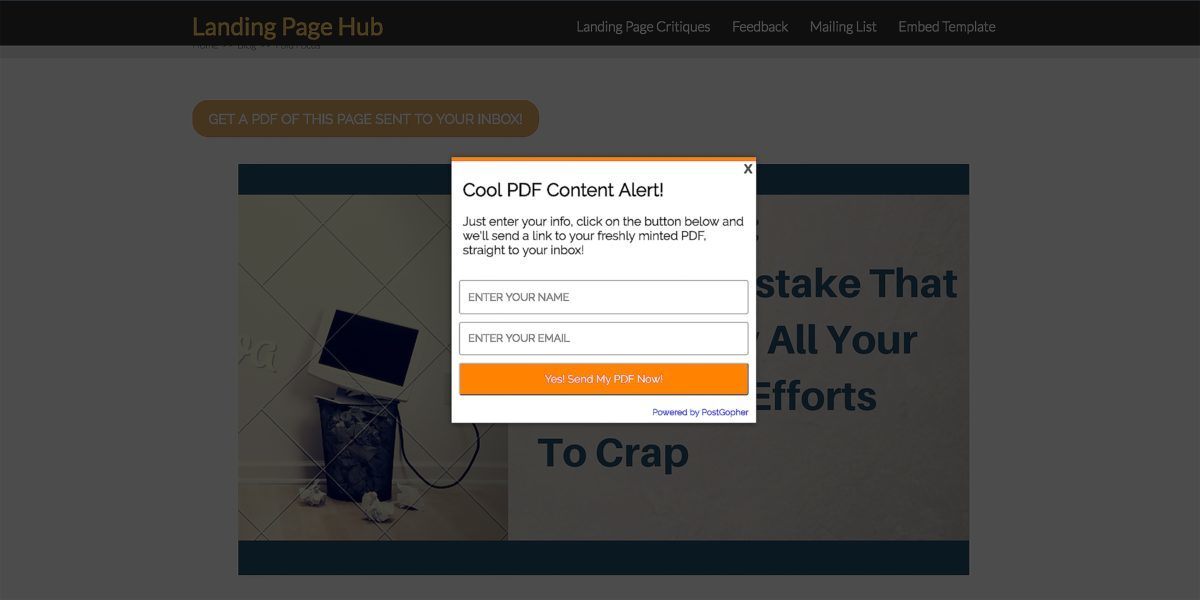
Once the button is clicked; a lead capture form pops up; the visitor enters their email and a download link is sent to their inbox.
Once they click on the link a PDF is generated, and your new subscriber is sent a link by email so they can download it.
I’ve tried it out (obviously) and can confirm it’s simple and it works; albeit with some limitations. More on that later. First, you’ll no doubt want to know about…
Prices
There are 3 price options:
- $47 – Install on unlimited blogs
- $37 – Install on 3 blogs
- $27 – Install on 1 blog
However, these packages only apply to sites you own. There doesn’t appear to be an agency option, so it wouldn’t be something you could offer as a service – not without complications anyway.
There is also a neat little hack, in which you can get a seven day trial for just $1.95. This offer pops up when you go to close the buy page down. Watch the video (at 02:31) to see this in action:
Once you sign up you’ll be sent log in details, and you’ll then be directed to download and install the plug-in on WP, and get your license activation key.
Once installed, there are four main pages you can access from within WordPress…
Settings
Here you can design your button – change the text and colour etc – and choose where you want to place it on the page. Options are limited to: top, bottom or both.
There isn’t an option to design bespoke buttons for individual posts unfortunately, so the same button will appear on every page. That’s a bit limiting, but it does keep things simple.
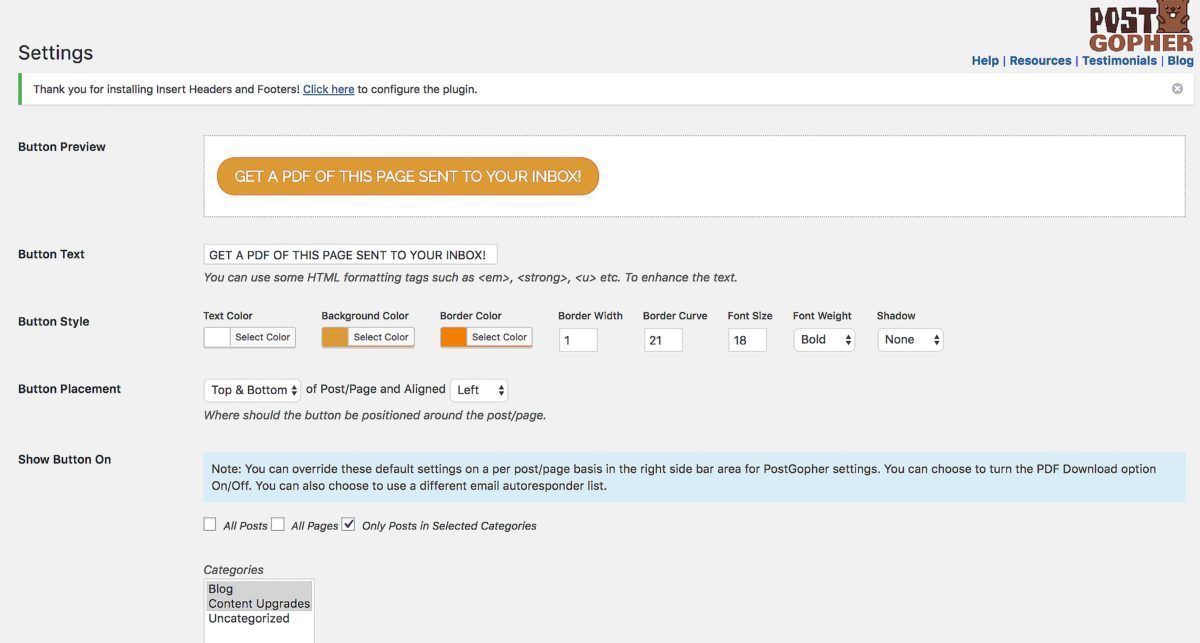
Here, you can also choose which posts the button will appear on with the following options:
- All posts
- All pages
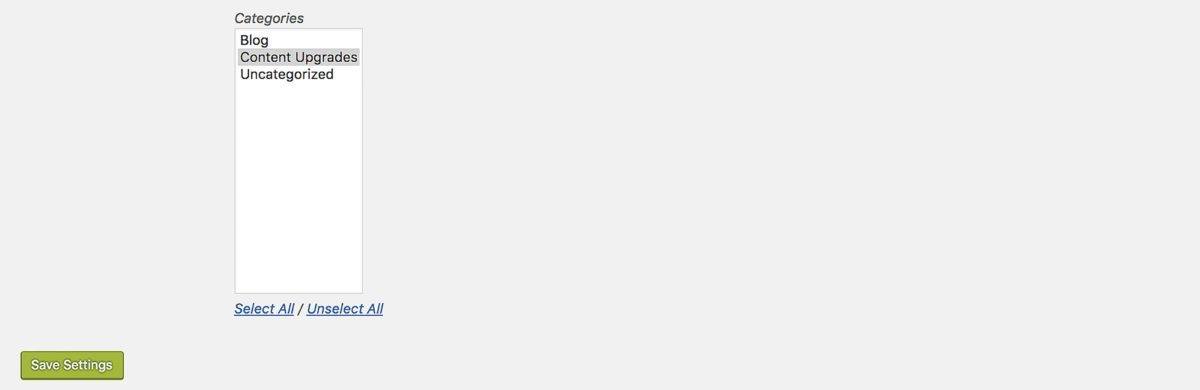
- Selected categories
If you set up a specific category for your lead magnets/content upgrades, then you simply need to add any post you want the button to appear to that category.
Leadgen Set Up
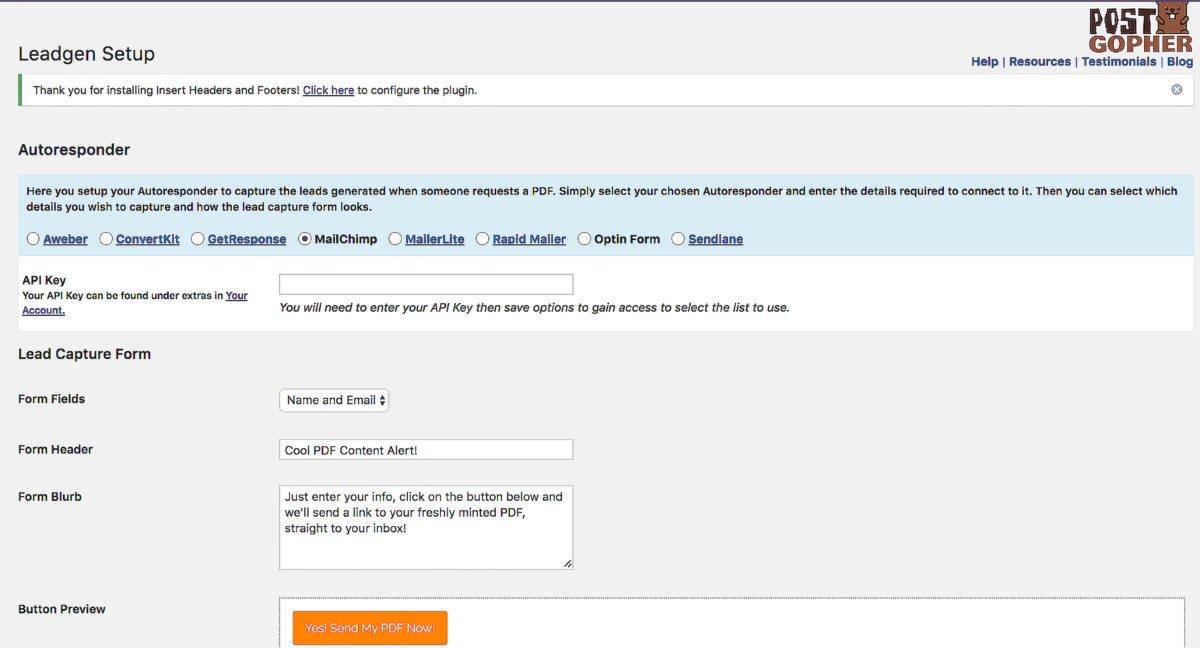
Here you set up what happens once the visitor clicks on the button. You can set up your own lead capture form, or integrate with the email services options they have available. It’s not an extensive list, so you might run into additional work here, if your provider is not among them. My provider Active Campaign, is not amongst them, so that’s a black mark from me on that score.
PDF Set Up
Here you get to choose the style of the PDF design with a choice of three templates. Three options is pretty limiting, and the designs available are very basic.
You can also add a logo here and change colours, but the fonts are not editable – they’ll be reproduced as they are on your web page. That’s no bad thing, if you want brand consistency.
Statistics
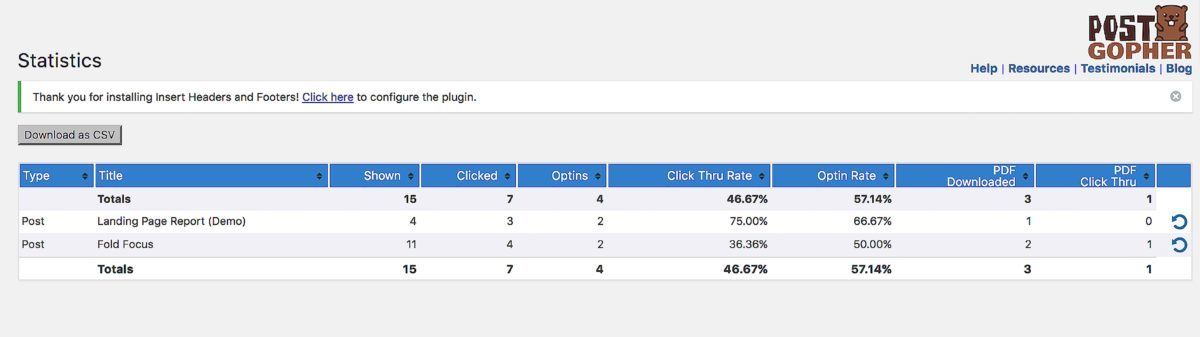
As you’d imagine, here you get a nice overview of how all your lead magnets are performing.
All being well, once you have this set up, buttons should appear on all the pages you’ve specified with opt-in in forms ready to automate the whole process seamlessly.
Once a visitor clicks on the button, a pop up form appears, they input their email address, they get sent a download link for the PDF, and you have a new lead.
Everybody’s happy.
Postgopher Conclusions
Postgopher is definitely not the best option if you want cool designs, an accurate fit with your branding and lots of flexibility in formatting – or the option to compile several posts into one e-book type lead magnet. It is however, a very simple means of automating the job of turning all your individual blog posts into individual lead magnets. The added bonus of lead capture and delivery process automation is also useful – if you’re not particularly tech-savvy or don’t have the time or inclination to set up all the forms and automation.
Check the video above for a more detailed overview or click the button below and get a PDF of this post sent to your inbox for future reference.


Significant projects in the past have included running a record label and setting up a charitable education & welfare program.
He works both from his home in the UK and - when the weather takes a predictable turn for the worst - remotely from warmer climes.
Catch him while you can... (and before he turns again).
Connect With Nick On Linkedin Here.